How do I protect the invitation with a code?
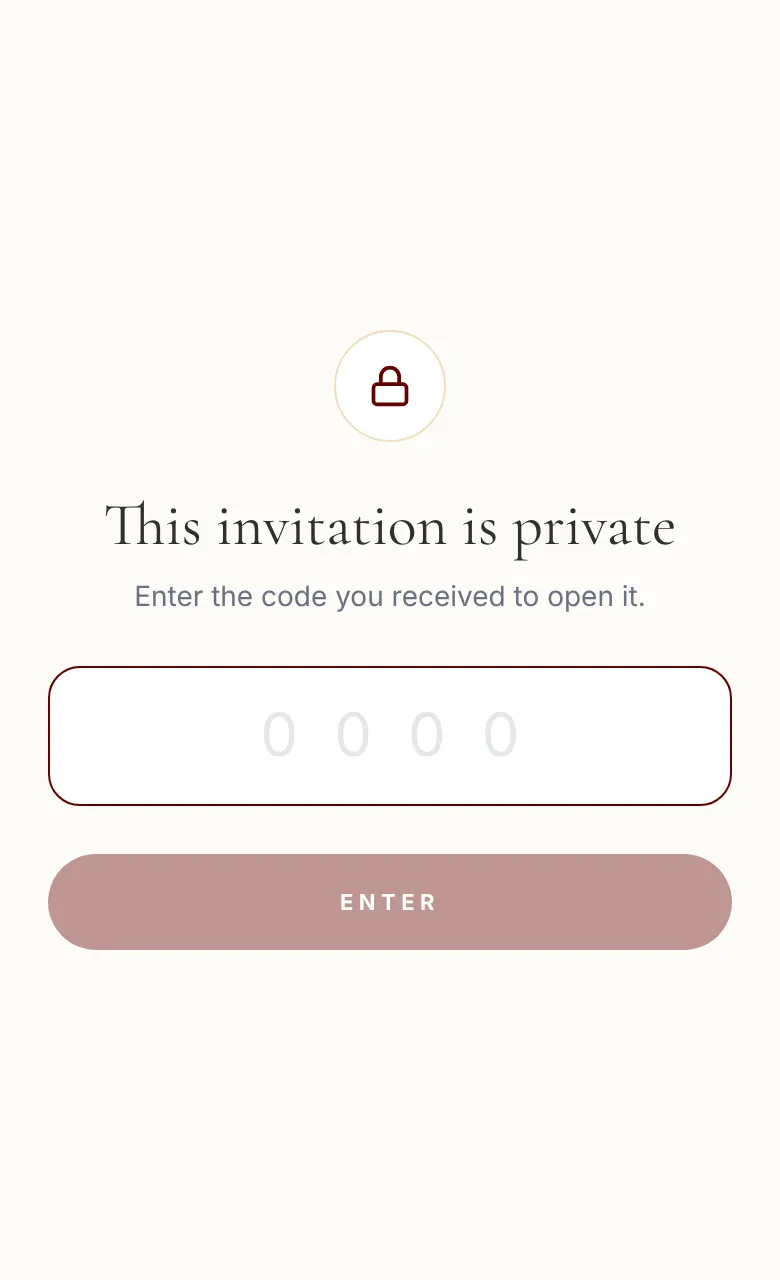
A 4-digit code asked of anyone opening the invitation, so the link can go around without the invitation being open to everyone.
Step by step
- 1
Open Links & QR codes.
- 2
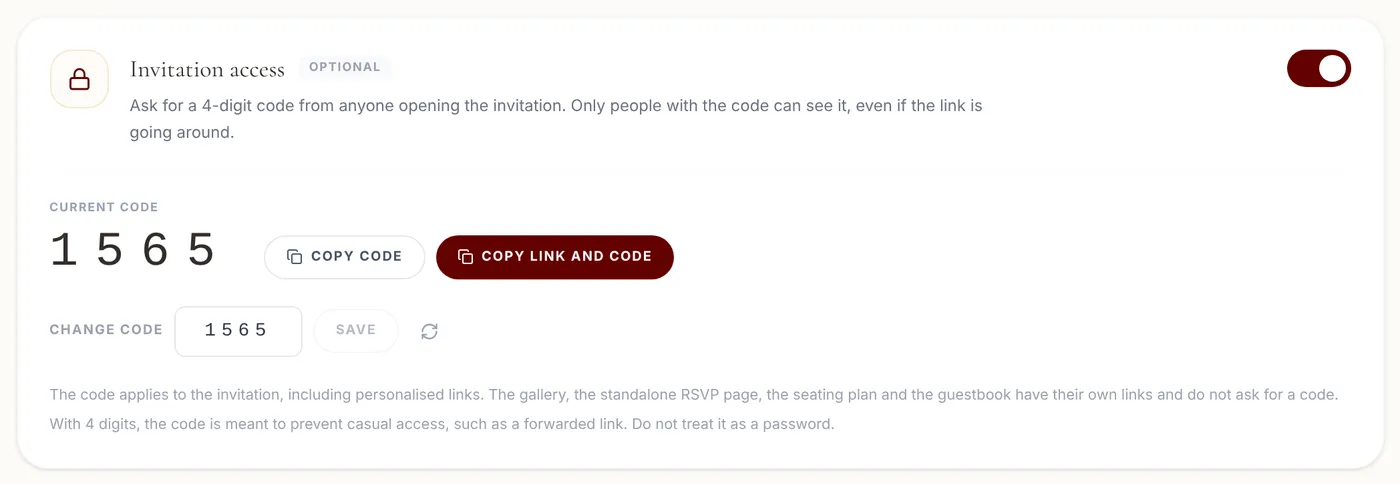
On the Invitation access card, turn the switch on. A 4-digit code is generated.
- 3
If you prefer another one, type it in Change code and click Save.
- 4
To send it, use Copy link and code.
Tips
- The code is off by default. It's only asked for once you turn it on.
- Changing the code makes anyone who had already got in enter it again.
- The code applies to the invitation, including personalised links. The gallery, the standalone RSVP page, the seating plan and the guestbook have their own links and don't ask for a code.
- With 4 digits, the code is meant to prevent casual access, such as a forwarded link. Don't treat it as a password.
Frequently asked questions
What does someone without the code see?
Only a page asking for the code, with no names, date or photos.
What if someone tries to guess it?
After 5 failed attempts, that person has to wait about 15 minutes.
Does the code stop guests from forwarding the invitation?
It doesn't stop them, but anyone who gets the link without the code can't open the invitation.